DigitalSpace Review 2026. Is digitalspace.com good web hosting in United States?
0 user reviews; 0 testimonials; 27 products, 0 promotions, 1 social account, Semrush #15213050; 📆 listed 2026 (#30436)

710 N Tucker Blvd
St Louis , MO 63101 US
☎ Phone +1 (844) 437-7223
📧 info@d...Website language(s): en-US
📄 Editorial Review
(3*) 🔧 Services: Web HostingData Center⇔ Redirected domains: cybercon.com
DigitalSpace (digitalspace.com) is a data-center and infrastructure provider built around colocation, bare metal servers and several layers of virtualized cloud. It is the evolution of the long-running Cybercon platform and now operates under the Digital Space brand, keeping the same technical backbone while aligning with a larger global infrastructure group. The focus is clearly on performance-critical, always-on workloads rather than casual shared hosting.
The service catalog is organized in the client portal (your.digitalspace.com) into a few core product families:
- Linux Cloud Servers – KVM-style virtual machines with Standard, Silver, Gold, SuperNova tiers. The entry plan offers 1 vCPU, 2 GB RAM, 50 GB disk, unmetered 100 Mbps bandwidth and one dedicated IPv4 starting around $29.95/month, while the top tier scales to 8 vCPUs, 16 GB RAM, 200 GB disk and unmetered 500 Mbps. These are suitable for typical web stacks, SaaS frontends, APIs and smaller databases.
- Windows Cloud Servers – mirrors the Linux lineup but with Windows licensing baked in. Plans again run from a Standard profile (1 vCPU / 2 GB / 50 GB / unmetered 100 Mbps) up to SuperNova (8 vCPUs / 16 GB / 200 GB / unmetered 500 Mbps), with pricing starting near $39.95/month for Standard and rising to just under $200/month at the top. This line targets .NET applications, RDP-based workloads and Windows-only business software.
- VMware Cloud Servers – for customers who want VMware’s ecosystem instead of "plain" KVM-like virtualization. The same Standard/Silver/Gold/SuperNova pattern appears here, with specs and traffic limits very similar to the cloud plans (up to 8 vCPUs, 16 GB RAM, 200 GB disk and unmetered 500 Mbps). There is also a dedicated virtual firewall add-on for VMware farms, hinting at a more enterprise-oriented use.
- Cloud VPS – essentially a more straightforward VPS line with Standard through SuperNova tiers (again 1→8 vCPUs, 2→16 GB RAM, 50→200 GB disk, unmetered 100→500 Mbps, 1 IPv4). Pricing is slightly lower than the full "Cloud Server" line (entry around $29.95/month), making it attractive for cost-sensitive deployments that still want dedicated resources and unmetered bandwidth.
- Windows Dedicated Blade Servers – physical blade servers hosted in Digital Space’s racks. The Standard configuration starts around $99/month and gives a single Intel Xeon hex-core CPU, 8 GB ECC RAM, 240 GB SSD, hardware RAID, unmetered 100 Mbps, 8 IPv4s, dual NICs and dual power supplies with A+B power. Silver, Gold and SuperNova tiers progressively add more CPU sockets/cores (up to dual 10-core Xeons), larger ECC RAM pools (up to 64 GB) and faster unmetered ports up to 1 Gbps, always including redundant power and multiple 10G network cards. This is clearly aimed at heavier workloads—databases, virtualization clusters, line-of-business apps—where bare-metal performance and predictable throughput matter.
- Server Colocation – single-server and small-rack colocation in Digital Space’s SOC-2 / Level 2 data-center facility, with options ranging from a single 1–4U device through bundled packages that include blocks of IPv4 addresses and unmetered bandwidth. A typical "SingleServer Colocation" option includes rack space for one 2U server, a 120V power outlet, 8 IPv4s, 100 Mbps port with 50 Mbps premium bandwidth (95th percentile), UPS battery backup, diesel generator, unlimited reboots, SNMP monitoring, 24×7 on-site technical support and 24×7×365 customer access. There are also more generous "Standard / Silver / Gold / SuperNova" bundles with higher IPv4 allocations, more power outlets and larger unmetered ports.
On top of this, the knowledgebase shows that they still operate classic web hosting with cPanel, and that DirectAdmin is supported as a control panel on some Linux cloud configurations. This, together with domain transfer options in the portal, means they can still host traditional websites and email, but the "center of gravity" is clearly on VPS, cloud and colocation rather than cheap shared hosting.
Operationally, they come across as a technically-driven, data-center-first provider: unmetered bandwidth on all server/VPS plans, hardware RAID, ECC memory, A+B power, SOC-2 facility, self-service backup/snapshot tools and the ability to vertically scale cloud servers from the client portal. The environment is more "infrastructure for admins and engineers" than "one-click website builder for beginners", which is precisely what many serious hosting buyers are looking for.
💰 Price & Cost
Digital Space’s pricing is mid-range to upper-mid-range compared to commodity VPS hosts, but reasonable for what is effectively data-center-grade infrastructure with unmetered traffic and SOC-2 colocation options.
- Cloud VPS / Linux Cloud – entry-level plans start around $29.95/month for 1 vCPU, 2 GB RAM, 50 GB disk and unmetered 100 Mbps, going up to roughly $189.95–$199.95/month for the 8 vCPU / 16 GB / 200 GB / unmetered 500 Mbps "SuperNova" tier.
- Windows Cloud / VMware Cloud – similar resource profiles, but Windows licensing and VMware overhead push the starting prices up slightly (Windows Cloud Standard at about $39.95/month, VMware Cloud Standard at $39.95/month, with top tiers around $199.95/month).
- Dedicated Windows blades – roughly $99 → $599/month as you move from a single hex-core blade to dual 10-core CPUs, 64 GB ECC RAM and 1.6 TB SSD or SAN storage, always with unmetered bandwidth and multiple IPv4 addresses.
- Colocation – small-device colocation starts near $59/month, while a more complete single-server colocation bundle including bandwidth, power, IPv4s and monitoring starts around $99/month. Extra 95th-percentile bandwidth, rackspace in 10U blocks and additional power outlets are available as separate monthly add-ons.
All pricing is shown in US dollars (USD), with sales tax calculated where applicable during checkout (for example, a note about a ~9.6% tax line appears in the cart). The ordering flow is fully online; upgrades are handled via the client portal by selecting more CPU/RAM and then completing an extra payment.
🏢 Data Center
Digital Space operates out of at least two US locations:
- Headquarters / primary facility: 710 N Tucker Blvd, St Louis, Missouri 63101, USA
- Western facility: 600 West 7th Street, Los Angeles, California 90017, USA
The colocation product descriptions reveal quite a bit about the underlying infrastructure. The St Louis site in particular is a SOC-2 / Level 2 data-center facility with:
- Dual power paths (A+B power) to blade servers and colocation circuits
- UPS battery backup plus diesel generator for extended outages
- 120V and 208V power options, with multiple outlets per bundle at higher tiers
- Unlimited remote reboots, SNMP port monitoring, and 24×7 on-site technical support
- 24×7×365 customer access, which is important for customers who need physical access to their hardware outside regular office hours
Colocation bundles include blocks of IPv4 addresses (8, 16 or 32 IPs depending on tier), unmetered bandwidth on 100 Mbps ports, and options for premium 95th-percentile traffic accounting. This is a classic "real data center" environment rather than a mere reseller cage.
On the virtualization and cloud side, cloud servers and VPSs are integrated with the vServerCenter portal. From there, customers can:
- Boot, reboot or shut down their VMs
- Take full-server backups with different modes (snapshot of a live machine, suspend then back up, or stop then back up)
- Restore whole-server backups directly from the portal
- Scale resources (CPU/RAM) up or down via "Upgrade/Downgrade options"
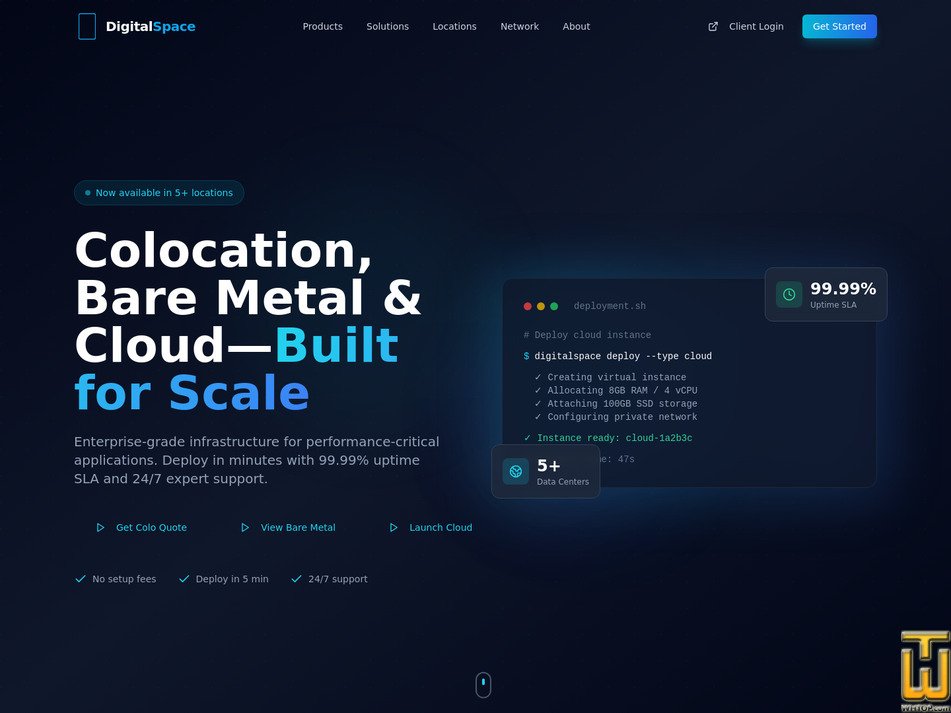
The public website positions the platform around an "enterprise-grade infrastructure for performance-critical applications" message, backed by a 99.99% uptime SLA and 24/7 expert / NOC support, which is consistent with the colocation and backup tooling described above.
Overall, the data-center side is one of Digital Space’s main strengths: redundant power, SOC-2, unmetered ports, and always-available access for colocation customers make it attractive for organizations that care about physical resilience and predictable bandwidth rather than only chasing the cheapest VPS.
✍️ Customer Support
Support is centered on the client portal (your.digitalspace.com), which gives access to:
- A ticket/helpdesk system ("My Support Tickets", "Open Ticket")
- A fairly extensive knowledgebase covering cloud server management, backups, operating system topics, DirectAdmin, cPanel and data-center offerings
- A network status page and downloads area for tools and documentation
For direct contact, Digital Space advertises:
- A toll-free phone number: +1 (844) 437-7223
- A general email address: info@digitalspace
- A dedicated Contact Sales & Support page linked from the main site, tied to the St Louis and Los Angeles office/data-center locations.
Colocation bundles explicitly include 24×7 on-site technical support and unlimited reboots, which is important for customers running their own hardware on-premises. Combined with the 24/7 NOC and 99.99% SLA messaging, support is clearly designed around continuous infrastructure operations rather than purely daytime business hours.
Live chat is not present, so the main channels appear to be phone, email and ticketing, backed by a self-service portal and knowledgebase. For a data-center-oriented provider this is a typical model: fewer "hand-holding" features, more focus on getting to the right technician quickly when something breaks.
🔨 Control Panel
Digital Space uses several management layers, depending on the product:
- vServerCenter client portal – the heart of their cloud and VPS management. It lets customers see all active services, manage power states, configure and run snapshots/backups, and perform full-server restores. Upgrades (extra CPU, RAM, etc.) are also initiated from here, with billing handled through the same interface.
- cPanel – used for the classic web hosting and email environment. The knowledgebase shows instructions for creating mailboxes and managing hosting through cPanel, which is familiar territory for most webmasters and resellers.
- DirectAdmin – supported on some Linux cloud servers, based on knowledgebase notes about "Operating systems support by DirectAdmin" and links to the DirectAdmin installation guide. This gives customers a lighter control panel alternative where cPanel licensing costs or preferences push them in that direction.
For Windows cloud and dedicated blades, administration is typically done directly through RDP and the Windows OS itself, with VMware Cloud servers managed via the vSphere web client mentioned in the knowledgebase. In other words, the platform expects customers to be comfortable working at OS level—this is not a "shared hosting only" shop, but an infrastructure provider where the control panel is one of several management options rather than the whole story.
🎯 Conclusion
Digital Space is a data-center-grade hosting and cloud provider for customers who value control, redundancy and consistent bandwidth more than rock-bottom pricing or drag-and-drop site builders. The combination of:- SOC-2 / Level 2 colocation, redundant power and generator backup
- Unmetered bandwidth on all server and VPS tiers, with 95th-percentile options where needed
- 99.99% uptime SLA and 24/7 NOC/on-site support
- A flexible mix of Cloud VPS, Linux/Windows/VMware Cloud servers and dedicated blades
- Self-service snapshot/backup/restore and vertical scaling from the portal
makes them attractive for serious projects: custom SaaS, in-house business applications, virtualization farms, database nodes, and companies wanting their own hardware in a well-run US data center.
On the other hand, there are some caveats:
- Branding can feel a bit fragmented, with "Cybercon Cloud VPS" wording still visible in the portal and some legacy references to external management URLs.
- There is no obvious money-back guarantee or simple "try before you buy" mechanism, so prospective customers need to size and test carefully.
- Beginners looking for a cheap shared plan with site builder, bundled marketing tools and hand-holding support might find the environment too technical and infrastructure-oriented.
For organizations that do need real colocation, consistent unmetered bandwidth and the ability to grow from VPS to dedicated blades in the same facility, Digital Space is a solid, technically competent option worth shortlisting and discussing requirements with directly.
📢 Special pages
Website research for DigitalSpace on by WebHostingTop / whtop.com
🎁 DigitalSpace Promotions
No website coupons announced! Looking to get a great webhosting deal using vouchers ? Checkout our current web hosting coupons list!
If you manage this brand, you must be logged in to update your promotions!
If you manage this brand, you must be logged in to update your promotions!
You can directly submit your coupon here!
Add your promo code
Plans📤 DigitalSpace Website Products
| 🔧 Dedicated - 💻 Linux/Windows | Keep mouse over features! | 💰Price | 💿 Disk space | 📶 Transfer | 📆 Updated | 🔋 RAM / 📌 Dedicated IPs |
|---|---|---|---|---|---|---|
| Dedicated Blade Server Standard | features *💳 Payment Methods : Credit / Debit / Prepaid Cards 🔨 Control Panel : [In-house] ✍️ Support Options : Email, Help Desk, Phone / Toll-Free, Available 24/7 🔋 RAM : 8000 MB 💪 CPU : 1 x Intel Xeon Hex Core 2.4GHz or better CPU 🔌 Hosted domains : Unlimited 🆓 Free domains : 0 📌 Dedicated IPs : 8 🚀 Uptime : 99.99 %  Dedicated Blade Server Standard is a blade-based dedicated server tier offered in both Linux and Windows editions. Dedicated Blade Server Standard is a blade-based dedicated server tier offered in both Linux and Windows editions.CPU and RAM: 1 x Intel Xeon Hex Core 2.4GHz or better CPU with 8 GB ECC registered memory (8000 MB). Storage: 1 x 240GB SSD (240000 [...] 🔗 Plan URL : https://your.digitalspace.com/store/linux-blade-server | $99.00/mo. | 240 GB SSD | unmetered | 8 GB / 8 | |
| Dedicated Blade Server Silver | features *💳 Payment Methods : Credit / Debit / Prepaid Cards 🔨 Control Panel : [In-house] ✍️ Support Options : Email, Help Desk, Phone / Toll-Free, Available 24/7 🔋 RAM : 16000 MB 💪 CPU : 2 x Intel Xeon Hex Core 2.4GHz or better CPUs 🔌 Hosted domains : Unlimited 🆓 Free domains : 0 📌 Dedicated IPs : 8 🚀 Uptime : 99.99 % Dedicated Blade Server Silver is a blade-based dedicated server tier offered in both Linux and Windows editions.CPU and RAM: 2 x Intel Xeon Hex Core 2.4GHz or better CPUs with 16 GB ECC registered memory (16000 MB). Storage: 2 x 480GB SSD (960000 [...] 🔗 Plan URL : https://your.digitalspace.com/store/linux-blade-server | $199.00/mo. | 960 GB SSD | unmetered | 16 GB / 8 | |
| Dedicated Blade Server Gold | features *💳 Payment Methods : Credit / Debit / Prepaid Cards 🔨 Control Panel : [In-house] ✍️ Support Options : Email, Help Desk, Phone / Toll-Free, Available 24/7 🔋 RAM : 32000 MB 💪 CPU : 2 x Intel Xeon Octa Core 2.5GHz or better CPUs 🔌 Hosted domains : Unlimited 🆓 Free domains : 0 📌 Dedicated IPs : 8 🚀 Uptime : 99.99 % Dedicated Blade Server Gold is a blade-based dedicated server tier offered in both Linux and Windows editions.CPU and RAM: 2 x Intel Xeon Octa Core 2.5GHz or better CPUs with 32 GB ECC registered memory (32000 MB). Storage: 2 x 800GB SSD (1600000 [...] 🔗 Plan URL : https://your.digitalspace.com/store/linux-blade-server | $299.00/mo. | 1600 GB SSD | unmetered | 32 GB / 8 | |
| Dedicated Blade Server SuperNova | features *💳 Payment Methods : Credit / Debit / Prepaid Cards 🔨 Control Panel : [In-house] ✍️ Support Options : Email, Help Desk, Phone / Toll-Free, Available 24/7 🔋 RAM : 64000 MB 💪 CPU : 2 x Intel Xeon 10 Core 2.8GHz or better CPUs 🔌 Hosted domains : Unlimited 🆓 Free domains : 0 📌 Dedicated IPs : 8 🚀 Uptime : 99.99 % Dedicated Blade Server SuperNova is a blade-based dedicated server tier offered in both Linux and Windows editions.CPU and RAM: 2 x Intel Xeon 10 Core 2.8GHz or better CPUs with 64 GB ECC registered memory (64000 MB). Storage: 2 x 1.6TB SSD [...] 🔗 Plan URL : https://your.digitalspace.com/store/linux-blade-server | $599.00/mo. | 3125 GB SSD | unmetered | 64 GB / 8 | |
| 🔧 Dedicated - 💻 Windows | Keep mouse over features! | 💰Price | 💿 Disk space | 📶 Transfer | 📆 Updated | 🆓 Free domain / 🔌 Allowed |
| Dedicated Windows Server Bundle | features *💳 Payment Methods : Credit / Debit / Prepaid Cards 🔨 Control Panel : [In-house] ✍️ Support Options : Email, Help Desk, Phone / Toll-Free, Available 24/7 🔌 Hosted domains : Unlimited 🆓 Free domains : 0 📌 Dedicated IPs : 0 🚀 Uptime : 99.99 %  Dedicated Windows Server Bundle is listed as a bundle deal inside the Windows dedicated category, positioned as a packaged ordering path. Dedicated Windows Server Bundle is listed as a bundle deal inside the Windows dedicated category, positioned as a packaged ordering path.The listing does not break out the underlying hardware spec on the category view, but bundle placement implies [...] 🔗 Plan URL : https://your.digitalspace.com/store/windows-dedicated-server-hosting | $109.50/mo. | unlimited | unmetered | 0 / unlimited | |
| 🔧 Dedicated - 💻 Linux | Keep mouse over features! | 💰Price | 💿 Disk space | 📶 Transfer | 📆 Updated | 🔋 RAM / 📌 Dedicated IPs |
| cPanel Dedicated Blade Server Standard | features *💳 Payment Methods : Credit / Debit / Prepaid Cards 🔨 Control Panel : CPanel ✍️ Support Options : Email, Help Desk, Phone / Toll-Free, Available 24/7 🔋 RAM : 8000 MB 💪 CPU : Intel Single Xeon Quad Core 2GHz or better CPU 🔌 Hosted domains : Unlimited 🆓 Free domains : 0 📌 Dedicated IPs : 8 🚀 Uptime : 99.99 %  cPanel Dedicated Blade Server Standard is a dedicated CentOS-based blade that includes cPanel/WHM with full administrative access, aiming to deliver a ready-to-use hosting node. cPanel Dedicated Blade Server Standard is a dedicated CentOS-based blade that includes cPanel/WHM with full administrative access, aiming to deliver a ready-to-use hosting node.Control panel licensing: the card specifies a cPanel/WHM license sized [...] 🔗 Plan URL : https://your.digitalspace.com/store/cpanel-hosting-dedicated-servers | $162.00/mo. | 300 GB SAS | unmetered | 8 GB / 8 | |
| cPanel Dedicated Blade Server Silver | features *💳 Payment Methods : Credit / Debit / Prepaid Cards 🔨 Control Panel : CPanel ✍️ Support Options : Email, Help Desk, Phone / Toll-Free, Available 24/7 🔋 RAM : 16000 MB 💪 CPU : Intel Dual Xeon Quad Core 2GHz or better CPUs 🔌 Hosted domains : Unlimited 🆓 Free domains : 0 📌 Dedicated IPs : 8 🚀 Uptime : 99.99 % cPanel Dedicated Blade Server Silver is a dedicated CentOS-based blade that includes cPanel/WHM with full administrative access, aiming to deliver a ready-to-use hosting node.Control panel licensing: the card specifies a cPanel/WHM license sized [...] 🔗 Plan URL : https://your.digitalspace.com/store/cpanel-hosting-dedicated-servers | $262.00/mo. | 600 GB SAS | unmetered | 16 GB / 8 | |
| cPanel Dedicated Blade Server Gold | features *💳 Payment Methods : Credit / Debit / Prepaid Cards 🔨 Control Panel : CPanel ✍️ Support Options : Email, Help Desk, Phone / Toll-Free, Available 24/7 🔋 RAM : 32000 MB 💪 CPU : Intel Dual Xeon Hexa Core 2GHz or better CPUs 🔌 Hosted domains : Unlimited 🆓 Free domains : 0 📌 Dedicated IPs : 8 🚀 Uptime : 99.99 % cPanel Dedicated Blade Server Gold is a dedicated CentOS-based blade that includes cPanel/WHM with full administrative access, aiming to deliver a ready-to-use hosting node.Control panel licensing: the card specifies a cPanel/WHM license sized for [...] 🔗 Plan URL : https://your.digitalspace.com/store/cpanel-hosting-dedicated-servers | $362.00/mo. | 1200 GB SAS | unmetered | 32 GB / 8 | |
| cPanel Dedicated Blade Server SuperNova | features *💳 Payment Methods : Credit / Debit / Prepaid Cards 🔨 Control Panel : CPanel ✍️ Support Options : Email, Help Desk, Phone / Toll-Free, Available 24/7 🔋 RAM : 64000 MB 💪 CPU : Intel Dual Xeon 10 Core 2GHz or better CPUs 🔌 Hosted domains : Unlimited 🆓 Free domains : 0 📌 Dedicated IPs : 8 🚀 Uptime : 99.99 % cPanel Dedicated Blade Server SuperNova is a dedicated CentOS-based blade that includes cPanel/WHM with full administrative access, aiming to deliver a ready-to-use hosting node.Control panel licensing: the card specifies a cPanel/WHM license [...] 🔗 Plan URL : https://your.digitalspace.com/store/cpanel-hosting-dedicated-servers | $662.00/mo. | 1600 GB SSD | unmetered | 64 GB / 8 | |
| 🔧 Colocation | Keep mouse over features! | 💰Price | 📶 Transfer | 📆 Updated | 📌 Dedicated IPs | |
| Single Device Colocation | features *💳 Payment Methods : Credit / Debit / Prepaid Cards 🔨 Control Panel : [In-house] ✍️ Support Options : Email, Help Desk, Phone / Toll-Free, Available 24/7 📌 Dedicated IPs : 0 🚀 Uptime : 99.99 %  Single Device Colocation is a bundled single-server colocation package combining space, power, IPs, and connectivity. Single Device Colocation is a bundled single-server colocation package combining space, power, IPs, and connectivity.Space: rack space for one additional non-server device up to 1U; includes one 120V power outlet under 1 amp. Operations: unlimited [...] 🔗 Plan URL : https://your.digitalspace.com/store/server-colocation-services | $59.00/mo. | unmetered | 0 | ||
| Rackspace: Single Device Up To 4U | features *💳 Payment Methods : Credit / Debit / Prepaid Cards 🔨 Control Panel : [In-house] ✍️ Support Options : Email, Help Desk, Phone / Toll-Free, Available 24/7 📌 Dedicated IPs : 0 🚀 Uptime : 99.99 % Rackspace: Single Device Up To 4U is a colocation-related line item sold as a monthly building block.Space add-on: rackspace allocation for a single device up to 4U, used when equipment does not fit in smaller device footprints or when extra [...] 🔗 Plan URL : https://your.digitalspace.com/store/server-colocation-services | $69.00/mo. | unmetered | 0 | ||
| Single Server Colo - Standard | features *💳 Payment Methods : Credit / Debit / Prepaid Cards 🔨 Control Panel : [In-house] ✍️ Support Options : Email, Help Desk, Phone / Toll-Free, Available 24/7 📌 Dedicated IPs : 8 🚀 Uptime : 99.99 % Single Server Colo - Standard is a bundled single-server colocation package combining space, power, IPs, and connectivity.Space: rackspace for one server up to 4U. IP addressing: 8 IPv4 IPs. Connectivity: one internet port with unmetered 50Mbps [...] 🔗 Plan URL : https://your.digitalspace.com/store/server-colocation-services | $99.00/mo. | unmetered | 8 | ||
| Single Server Colo - Silver | features *💳 Payment Methods : Credit / Debit / Prepaid Cards 🔨 Control Panel : [In-house] ✍️ Support Options : Email, Help Desk, Phone / Toll-Free, Available 24/7 📌 Dedicated IPs : 8 🚀 Uptime : 99.99 % Single Server Colo - Silver is a bundled single-server colocation package combining space, power, IPs, and connectivity.Space: rack space for one rack-mountable server up to 4U. IP addressing: 8 IPv4 IPs. Connectivity: one internet port with [...] 🔗 Plan URL : https://your.digitalspace.com/store/server-colocation-services | $164.96/mo. | unmetered | 8 | ||
| Single Server Colo - Gold | features *💳 Payment Methods : Credit / Debit / Prepaid Cards 🔨 Control Panel : [In-house] ✍️ Support Options : Email, Help Desk, Phone / Toll-Free, Available 24/7 📌 Dedicated IPs : 16 🚀 Uptime : 99.99 % Single Server Colo - Gold is a bundled single-server colocation package combining space, power, IPs, and connectivity.Space: rack space for one rack-mountable server up to 4U and one rack-mountable firewall up to 2U. IP addressing: 16 IPv4 [...] 🔗 Plan URL : https://your.digitalspace.com/store/server-colocation-services | $299.00/mo. | unmetered | 16 | ||
| Rack Space (10U) | features *💳 Payment Methods : Credit / Debit / Prepaid Cards 🔨 Control Panel : [In-house] ✍️ Support Options : Email, Help Desk, Phone / Toll-Free, Available 24/7 📌 Dedicated IPs : 0 🚀 Uptime : 99.99 % Rack Space (10U) is a colocation-related line item sold as a monthly building block.Space add-on: 10U rack space allocation, positioned for larger deployments that exceed single-server footprints and need a reserved vertical segment of a [...] 🔗 Plan URL : https://your.digitalspace.com/store/server-colocation-services | $400.00/mo. $200 Setup Fee | unmetered | 0 | ||
| Single Server Colo - SuperNova | features *💳 Payment Methods : Credit / Debit / Prepaid Cards 🔨 Control Panel : [In-house] ✍️ Support Options : Email, Help Desk, Phone / Toll-Free, Available 24/7 📌 Dedicated IPs : 32 🚀 Uptime : 99.99 % Single Server Colo - SuperNova is a bundled single-server colocation package combining space, power, IPs, and connectivity.Space: rack space for one rack-mountable server up to 4U and one rack-mountable firewall up to 2U. IP addressing: 32 IPv4 [...] 🔗 Plan URL : https://your.digitalspace.com/store/server-colocation-services | $599.00/mo. | unmetered | 32 | ||
| 🔧 Cloud - 💻 Linux/Windows | Keep mouse over features! | 💰Price | 💿 Disk space | 📶 Transfer | 📆 Updated | 🔋 RAM / 📌 Dedicated IPs |
| Cloud Server Standard | features *💳 Payment Methods : Credit / Debit / Prepaid Cards 🔨 Control Panel : [In-house] 🔧 Category : Backup ✍️ Support Options : Email, Help Desk, Phone / Toll-Free, Available 24/7 🔋 RAM : 2000 MB 💪 CPU : 1 vCPU 🔌 Hosted domains : 1 🆓 Free domains : 0 📌 Dedicated IPs : 1 🚀 Uptime : 99.9 %  Cloud Server Standard is a fixed-size cloud server tier offered in both Linux and Windows editions. Cloud Server Standard is a fixed-size cloud server tier offered in both Linux and Windows editions.Resources: 1 vCPU, 2 GB RAM (2000 MB), and 50 GB disk space (50000 MB). Connectivity: unmetered traffic is tied to a 100 Mbps port speed rather than [...] 🔗 Plan URL : https://your.digitalspace.com/store/linux-cloud-servers | $29.95/mo. | 50 GB | unmetered | 2 GB / 1 | |
| VMware/Windows Cloud Server Standard | features *💳 Payment Methods : Credit / Debit / Prepaid Cards 🔨 Control Panel : VMware 🔧 Category : Backup ✍️ Support Options : Email, Help Desk, Phone / Toll-Free, Available 24/7 🔋 RAM : 2000 MB 💪 CPU : 1 vCPU 🔌 Hosted domains : 1 🆓 Free domains : 0 📌 Dedicated IPs : 1 🚀 Uptime : 99.9 %  VMware Cloud Server Standard is a VMware-aligned cloud server tier aimed at teams that prefer VMware conventions for virtualization operations. VMware Cloud Server Standard is a VMware-aligned cloud server tier aimed at teams that prefer VMware conventions for virtualization operations.Resources: 1 vCPU, 2 GB RAM (2000 MB), and 50 GB disk space (50000 MB). Connectivity: unmetered [...] 🔗 Plan URL : https://your.digitalspace.com/store/vmware-cloud-servers | $39.95/mo. | 50 GB | unmetered | 2 GB / 1 | |
| VMware/Windows Cloud Servers | features *💳 Payment Methods : Credit / Debit / Prepaid Cards 🔨 Control Panel : VMware 🔧 Category : Backup ✍️ Support Options : Email, Help Desk, Phone / Toll-Free, Available 24/7 🔋 RAM : 2000 MB 💪 CPU : 1 vCPU 🔌 Hosted domains : 1 🆓 Free domains : 0 📌 Dedicated IPs : 1 🚀 Uptime : 99.9 % 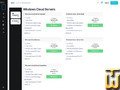 VMware Cloud Servers is a VMware-aligned cloud server tier aimed at teams that prefer VMware conventions for virtualization operations. VMware Cloud Servers is a VMware-aligned cloud server tier aimed at teams that prefer VMware conventions for virtualization operations.Resources: 1 vCPU, 2 GB RAM (2000 MB), and 50 GB disk space (50000 MB). Connectivity: unmetered bandwidth is [...] 🔗 Plan URL : https://your.digitalspace.com/store/windows-cloud-servers | $39.95/mo. | 50 GB | unmetered | 2 GB / 1 | |
| Cloud Server Silver | features *💳 Payment Methods : Credit / Debit / Prepaid Cards 🔨 Control Panel : [In-house] 🔧 Category : Backup ✍️ Support Options : Email, Help Desk, Phone / Toll-Free, Available 24/7 🔋 RAM : 4000 MB 💪 CPU : 2 vCPU 🔌 Hosted domains : 1 🆓 Free domains : 0 📌 Dedicated IPs : 1 🚀 Uptime : 99.9 % Cloud Server Silver is a fixed-size cloud server tier offered in both Linux and Windows editions.Resources: 2 vCPU, 4 GB RAM (4000 MB), and 100 GB disk space (100000 MB). Connectivity: unmetered traffic is tied to a 200 Mbps port speed rather than [...] 🔗 Plan URL : https://your.digitalspace.com/store/linux-cloud-servers | $59.95/mo. | 100 GB | unmetered | 4 GB / 1 | |
| VMware/Windows Cloud Server Silver | features *💳 Payment Methods : Credit / Debit / Prepaid Cards 🔨 Control Panel : VMware 🔧 Category : Backup ✍️ Support Options : Email, Help Desk, Phone / Toll-Free, Available 24/7 🔋 RAM : 4000 MB 💪 CPU : 2 vCPU 🔌 Hosted domains : 1 🆓 Free domains : 0 📌 Dedicated IPs : 1 🚀 Uptime : 99.9 % VMware Cloud Server Silver is a VMware-aligned cloud server tier aimed at teams that prefer VMware conventions for virtualization operations.Resources: 2 vCPU, 4 GB RAM (4000 MB), and 100 GB disk space (100000 MB). Connectivity: unmetered [...] 🔗 Plan URL : https://your.digitalspace.com/store/vmware-cloud-servers | $69.95/mo. | 100 GB | unmetered | 4 GB / 1 | |
| Cloud Server Gold | features *💳 Payment Methods : Credit / Debit / Prepaid Cards 🔨 Control Panel : [In-house] 🔧 Category : Backup ✍️ Support Options : Email, Help Desk, Phone / Toll-Free, Available 24/7 🔋 RAM : 8000 MB 💪 CPU : 4 vCPU 🔌 Hosted domains : 1 🆓 Free domains : 0 📌 Dedicated IPs : 1 🚀 Uptime : 99.9 % Cloud Server Gold is a fixed-size cloud server tier offered in both Linux and Windows editions.Resources: 4 vCPU, 8 GB RAM (8000 MB), and 150 GB disk space (150000 MB). Connectivity: unmetered traffic is tied to a 300 Mbps port speed rather than a [...] 🔗 Plan URL : https://your.digitalspace.com/store/linux-cloud-servers | $99.95/mo. | 150 GB | unmetered | 8 GB / 1 | |
| VMware/Windows Cloud Server Gold | features *💳 Payment Methods : Credit / Debit / Prepaid Cards 🔨 Control Panel : VMware 🔧 Category : Backup ✍️ Support Options : Email, Help Desk, Phone / Toll-Free, Available 24/7 🔋 RAM : 8000 MB 💪 CPU : 4 vCPU 🔌 Hosted domains : 1 🆓 Free domains : 0 📌 Dedicated IPs : 1 🚀 Uptime : 99.9 % VMware Cloud Server Gold is a VMware-aligned cloud server tier aimed at teams that prefer VMware conventions for virtualization operations.Resources: 4 vCPU, 8 GB RAM (8000 MB), and 150 GB disk space (150000 MB). Connectivity: unmetered bandwidth [...] 🔗 Plan URL : https://your.digitalspace.com/store/vmware-cloud-servers | $119.95/mo. | 150 GB | unmetered | 8 GB / 1 | |
| Cloud Server SuperNova | features *💳 Payment Methods : Credit / Debit / Prepaid Cards 🔨 Control Panel : [In-house] 🔧 Category : Backup ✍️ Support Options : Email, Help Desk, Phone / Toll-Free, Available 24/7 🔋 RAM : 16000 MB 💪 CPU : 8 vCPU 🔌 Hosted domains : 1 🆓 Free domains : 0 📌 Dedicated IPs : 1 🚀 Uptime : 99.9 % Cloud Server SuperNova is a fixed-size cloud server tier offered in both Linux and Windows editions.Resources: 8 vCPU, 16 GB RAM (16000 MB), and 200 GB disk space (200000 MB). Connectivity: unmetered traffic is tied to a 500 Mbps port speed rather [...] 🔗 Plan URL : https://your.digitalspace.com/store/linux-cloud-servers | $189.95/mo. | 200 GB | unmetered | 16 GB / 1 | |
| VMware/Windows Cloud Server SuperNova | features *💳 Payment Methods : Credit / Debit / Prepaid Cards 🔨 Control Panel : VMware 🔧 Category : Backup ✍️ Support Options : Email, Help Desk, Phone / Toll-Free, Available 24/7 🔋 RAM : 16000 MB 💪 CPU : 8 vCPU 🔌 Hosted domains : 1 🆓 Free domains : 0 📌 Dedicated IPs : 1 🚀 Uptime : 99.9 % VMware Cloud Server SuperNova is a VMware-aligned cloud server tier aimed at teams that prefer VMware conventions for virtualization operations.Resources: 8 vCPU, 16 GB RAM (16000 MB), and 200 GB disk space (200000 MB). Connectivity: unmetered [...] 🔗 Plan URL : https://your.digitalspace.com/store/vmware-cloud-servers | $199.95/mo. | 200 GB | unmetered | 16 GB / 1 | |
| 🔧 Cloud - 💻 Linux | Keep mouse over features! | 💰Price | 💿 Disk space | 📶 Transfer | 📆 Updated | 🔋 RAM / 📌 Dedicated IPs |
| Shared SAN Storage Space SAS/FC | features *💳 Payment Methods : Credit / Debit / Prepaid Cards 🔨 Control Panel : [In-house] 🔧 Category : Backup ✍️ Support Options : Email, Help Desk, Phone / Toll-Free, Available 24/7 🔌 Hosted domains : 1 🆓 Free domains : 0 📌 Dedicated IPs : 0 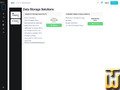 Shared SAN Storage Space SAS/FC is sold as shared enterprise SAN capacity with a 1TB allocation. Shared SAN Storage Space SAS/FC is sold as shared enterprise SAN capacity with a 1TB allocation.Design points called out on the product card include dual controllers, SAS/FC drives, RAID protection using dual parity plus two hot spares, and [...] 🔗 Plan URL : https://your.digitalspace.com/index.php?rp=/store/data-storage-solutions | $76.00/mo. | 1000 GB SAS | unmetered | / 0 | |
| Dedicated NetApp Storage System SC | features *💳 Payment Methods : Credit / Debit / Prepaid Cards 🔨 Control Panel : [In-house] 🔧 Category : Backup ✍️ Support Options : Email, Help Desk, Phone / Toll-Free, Available 24/7 🔌 Hosted domains : 1 🆓 Free domains : 0 📌 Dedicated IPs : 0 Dedicated NetApp Storage System SC is presented as a dedicated storage appliance rather than shared SAN space.Hardware: single controller with 12 x 300GB SAS hard drives. Capacity representation: 12 x 300GB equals 3600GB (3600000 MB) of raw disk [...] 🔗 Plan URL : https://your.digitalspace.com/index.php?rp=/store/data-storage-solutions | $999.00/mo. | 3600 GB SAS | unmetered | / 0 |
Contact information is managed by digitalspace.com representatives info@d..., webmaster@d..., admin@d..., support@d..., sales@d..., contact@d... [login]
Claim this business
📊 Web stats
| ⚑ Targeting: | United States |
| 📂 Details for https://digitalspace.com/ | |
|---|---|
| 📥 Website DNS: | ganz.ns.cloudflare.com => 162.159.44.40 ( Los Angeles ) / Cloudflare, Inc. - cloudflare.com stevie.ns.cloudflare.com => 108.162.194.106 ( Toronto ) / Cloudflare, Inc. - cloudflare.com MX::digitalspace-com.mail.protection.outlook.com => 52.101.10.12 ( Boydton ) / Microsoft Corporation - microsoft.com |
| 📌 Website FIRST IP: | 104.21.41.222 (104.21.41.222) |
| 📍 IP localization: | Canada, Ontario, Toronto - see top providers in Canada, Ontario |
| 🔗 ISP Name, URL: | Cloudflare, Inc., cloudflare.com |
| 📌 Website Extra IPs: | 172.67.194.208 ( Toronto, Ontario ) Cloudflare, Inc. - cloudflare.com |
✅ Customer testimonials
There are no customer testimonials listed yet. You can be the first one to add your testimonial here.
Add your own testimonial
This form is used exclusively for positive feedback, for a regular review click here
📋 DigitalSpace News / Press release
There are no news written in en language
📣 DigitalSpace Social Networks
No official account on Twitter yet
No official account on Facebook yet
No official Blog yet
👪 DigitalSpace Customer Reviews
There are no customer or users ratings yet for this provider. You can click here to add your review
Add your own review [Toggle to basic/advanced form]
Required information